In 1991, Mark Weiser, one of the founding fathers of modern technology design, wrote a sentence that became one of the most quoted in the field: "The most profound technologies are those that disappear."
He meant technology that works so well, it fades into the background of everyday life. We don't think about electricity when we turn on a light. We don't think about network infrastructure when we send an email.
In cybersecurity, that disappearing act creates a unique challenge - most of the time nothing happens in a security system. And that's actually the goal! But this is exactly where the paradox forms: the better a security system performs, the less visible its value becomes.
Don Norman, one of the world's leading voices in human-centered design, in his book The Design of Everyday Things, called this the Gulf of Evaluation - the gap between what a system is doing and what the user is able to perceive. The user performed an action, but it's unclear whether it was successful, what changed as a result, or what the current state of the system is. A quiet security system creates this gulf in its most extreme form. Does silence mean success, or that the system isn't working?
This is something Radware thinks about deeply. Not just in terms of what technology does, but in terms of how you, as the person responsible for your organization's security, experience it. How do you know you're protected when there's nothing to show? How do you stay confident when everything is quiet?
Radware's approach to this challenge comes down to two things: measuring the right things, and making them visible in the right way.
We Have to Measure the Right Thing
Let's distinguish between outputs and outcomes. An output is what the system did: how many attacks were blocked, how many alerts were sent. An outcome is what you actually received: the business kept running, nothing went down, no users were affected, etc.
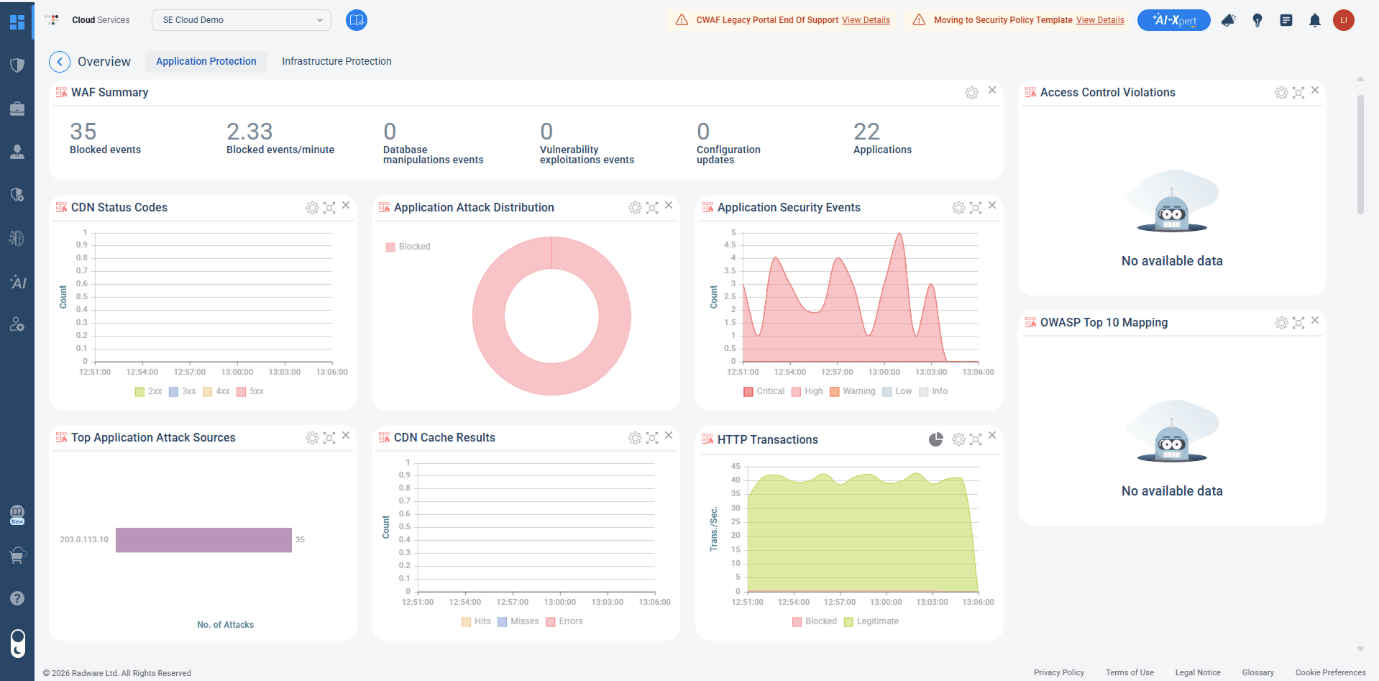
Visual 1: Outputs made visible in WAF's Overview Dashboard
Radware's WAF dashboard displays metrics like "15 Blocked events, 0 Database manipulation events." That's an output, and an important one. It shows how many events were blocked in various ways.
Did my business operations continue without interruption? Am I protected? That's the outcome question. We can see it clearly below, on the Security Operation screen, when the system is running and there are no active threats, a single status indicator appears: Peacetime. Not "0 attacks detected." Not a list of metrics that all read zero. It's a deliberate translation of a complex technical state into something human and immediate. You're protected, everything is stable, you don't need to act. You're not left wondering what the silence means. Radware tells you directly. In other words, it's called "Calm Technology".
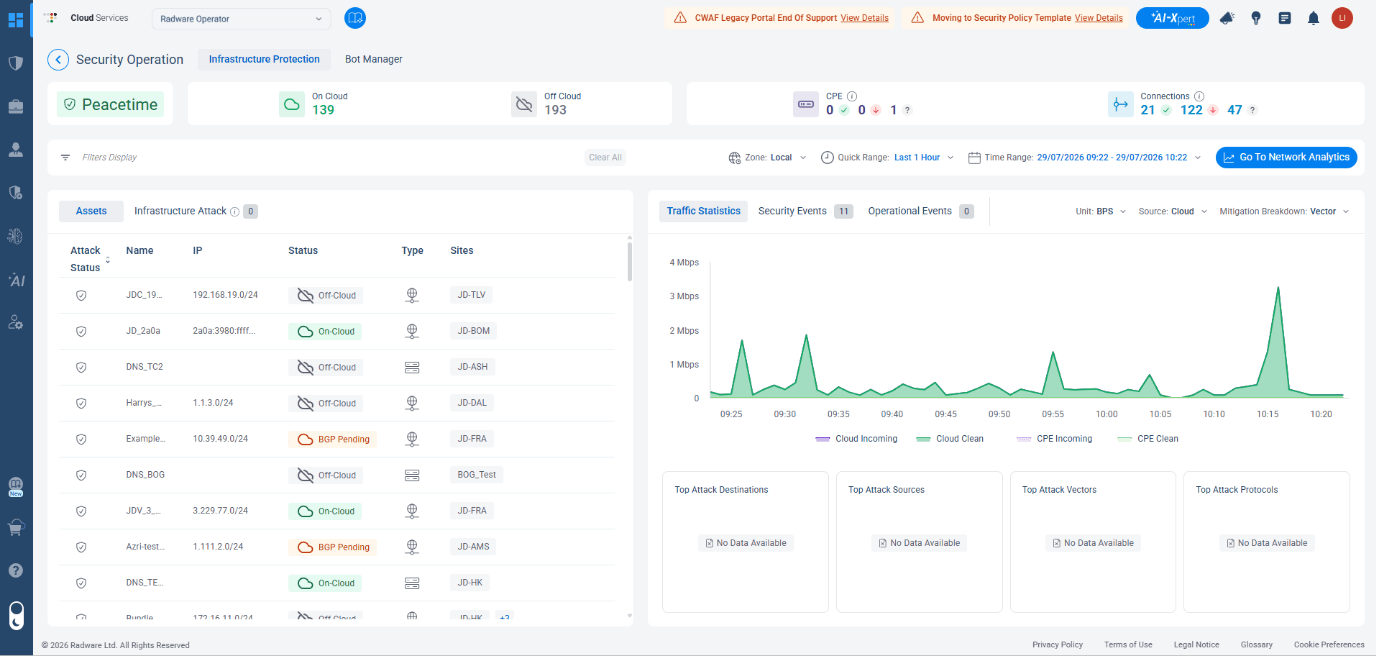
Visual 2: Peacetime status indicator in the Security Operation Screen
The Graph that Makes Quiet Work Visible
In the Access Log dashboard, as you can see in Visual 3 below, traffic is displayed in three layers simultaneously: Total, Clean Traffic, and Block Traffic. Radware shows you the full picture: what came in, what was clean, and what was stopped.
That visual gap between incoming and clean traffic is the work happening on your behalf, continuously, even when the dashboard feels quiet. Don Norman wrote that without feedback, users are always left wondering whether anything happened. This graph answers that question - something is always happening.
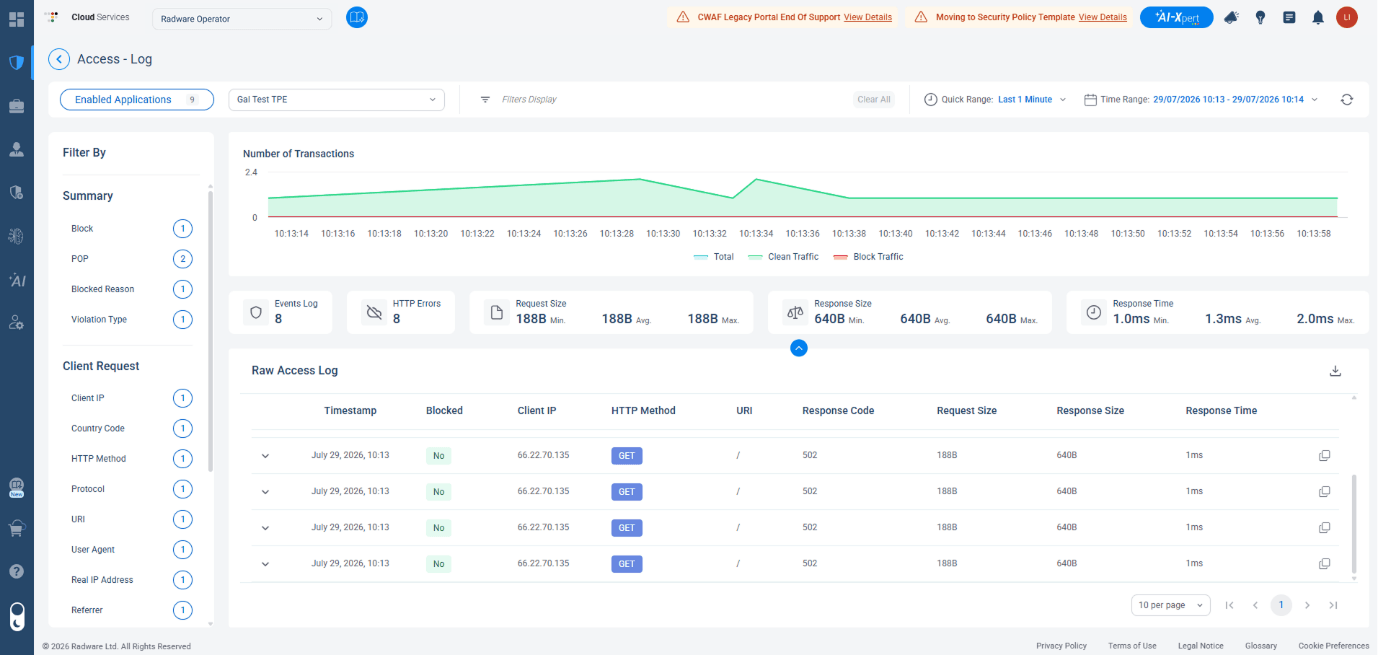
Visual 3: Access Log Dashboard
"Fully Mitigated" - Making Success Visible
In AI SOC Xpert, when an attack is detected and fully handled, the screen doesn't fill with alerts and action items. Instead, a green shield appears: "Fully Mitigated". You don't need to do anything. The system handled it. That empty state isn't a lack of information, it's a clear, confident signal that you're in good hands.
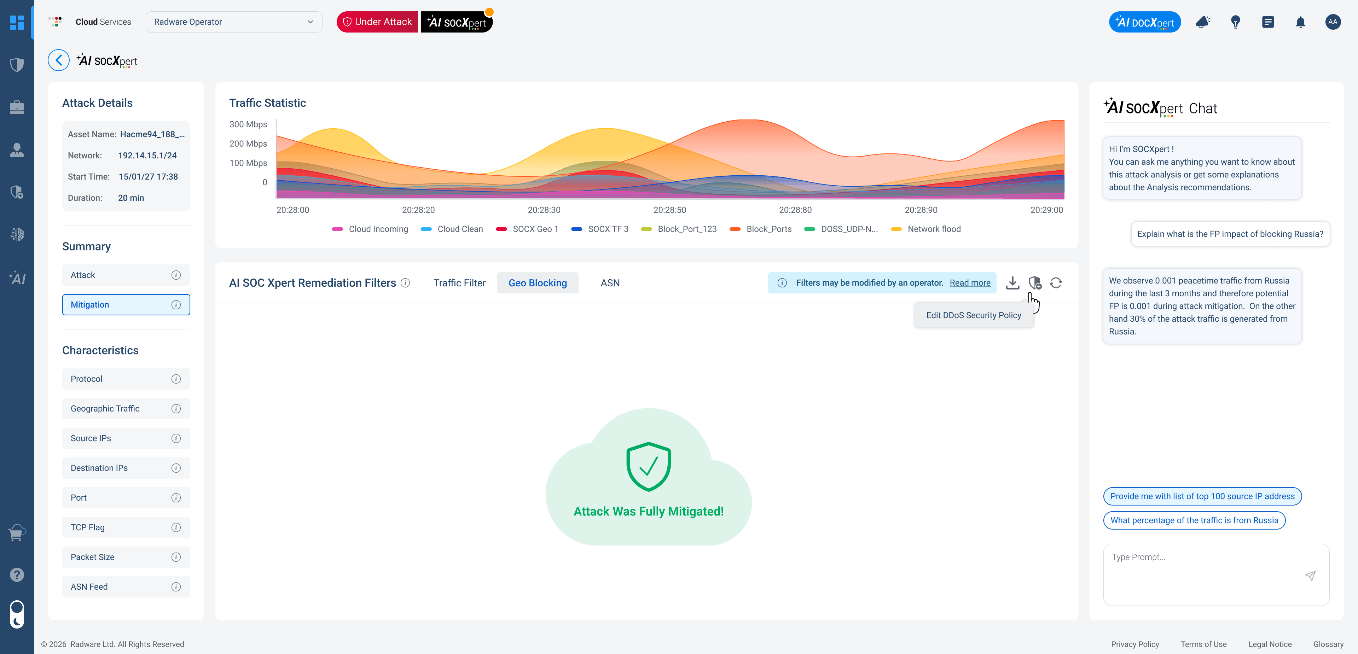
Visual 4: AI SOCXpert
AI SOC Xpert doesn't just act, it explains. When the system makes a decision, it shows its reasoning, as you can see in the right pane in Visual 4 above. This is transparency in action. You're not asked to trust a black box. You can see the analysis, ask follow-up questions, and understand exactly why the system responded the way it did. It's how Radware makes sure you stay in control, even when the system is doing the work for you.
We can see it in the Security Events as well (Visual 5), that gives you continuous visibility across all of your applications and events, with clear indicators.
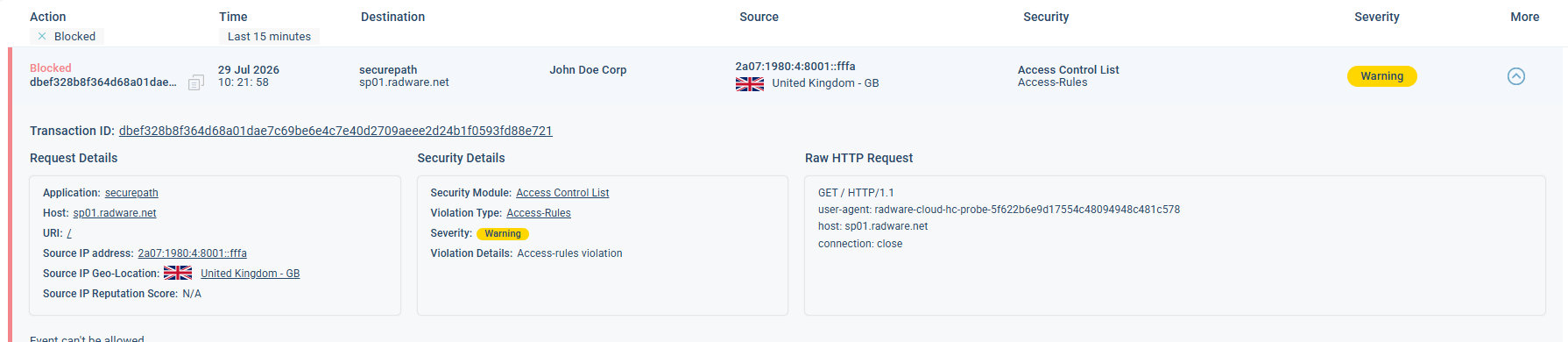
Visual 5: Security Events -> Application Protection
You're in Control, Even When Everything Is Quiet
When a security system works perfectly, and all is protected, it can become invisible. And when it's invisible, its value becomes hard to feel and track. But sometimes, silence isn't the absence of information, it's information that needs to be designed.
John Maeda, designer, technologist, and former president of the Rhode Island School of Design, wrote in his book The Laws of Simplicity: "the best system isn't the one that shows more - it's the one that demands less attention". The goal is calm: a system that speaks up when it matters, stays out of your way when it doesn't, and always gives you a clear picture of where things stand.
You shouldn't have to wonder if you're protected. You should simply know.
A little spoiler - This commitment to making protection visible is something Radware continues to invest in. New capabilities in this direction are coming toward the end of the year. Stay tuned!