In cybersecurity, we often talk about "the next alert" or "the next policy decision”, as if security work is a series of isolated, disconnected moments. But that's not how our customers experience our systems. They don't bounce between unrelated tasks; they follow coherent journeys. Our users might begin by understanding their general threat posture, gradually learning to customize protections, and eventually handling incidents under pressure. Each moment prepares them for the next.
This article mirrors that journey. We’ll look at how our users evolve inside a security platform, and how that learning foundation shapes their ability to evaluate and respond to real threats with clarity and confidence. These aren’t separate experiences; they're chapters of a single story.
The Learning Curve Journey: Building Confidence Over Time
When users first enter a security platform, they are usually still finding their way. On day one, they need orientation, clear summaries, and reassurance that the system is protecting them. A new user might begin by viewing their threat posture and downloading a summary report for leadership. This sounds simple, but for many organizations, these early reports help define the narrative - what matters, what’s protected, and where attention should shift next.
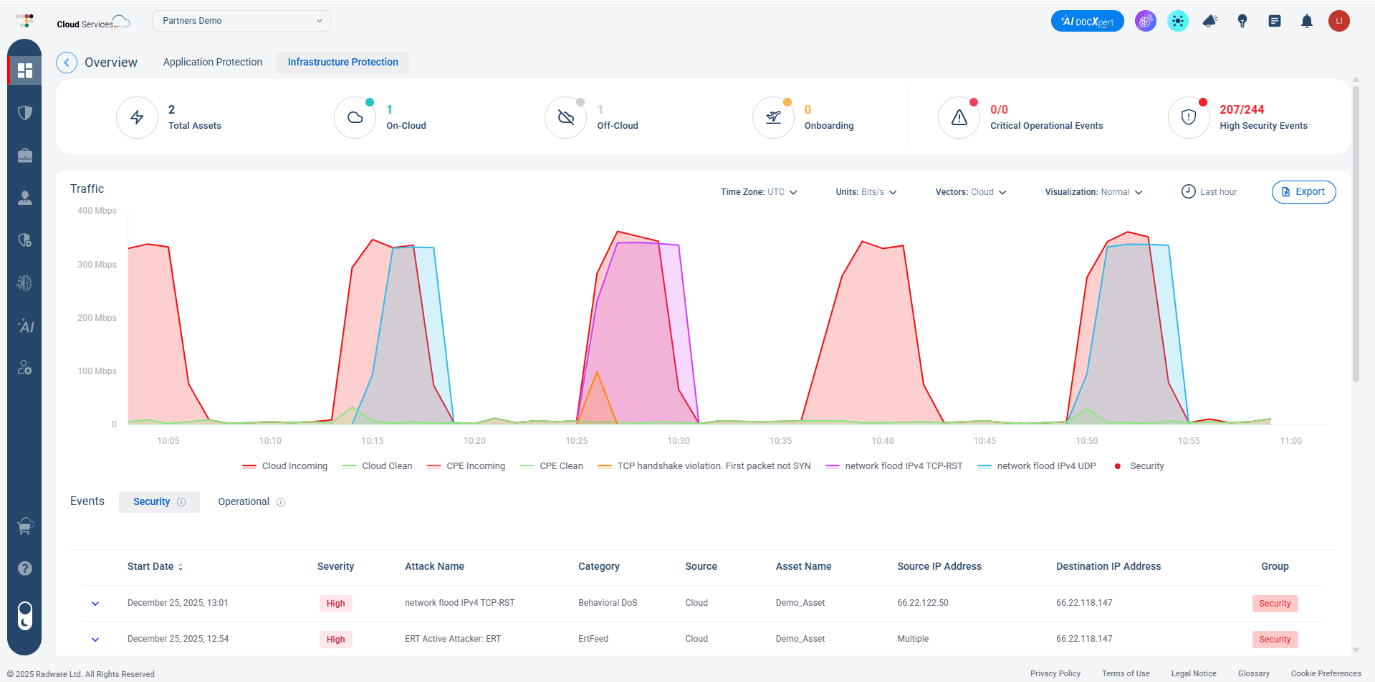
Visual 1: A high-level infrastructure protection dashboard
Over time, our users progress toward intermediate needs. They start asking: “Can I customize protections to match our environment?” Radware’s Security Policy Templates (see visual 2 below) support this stage by allowing teams to define protections once and apply them across multiple applications. Features like version control, previews, and approval steps provide clarity and help users avoid misconfigurations, all are key ingredients for long-term trust.
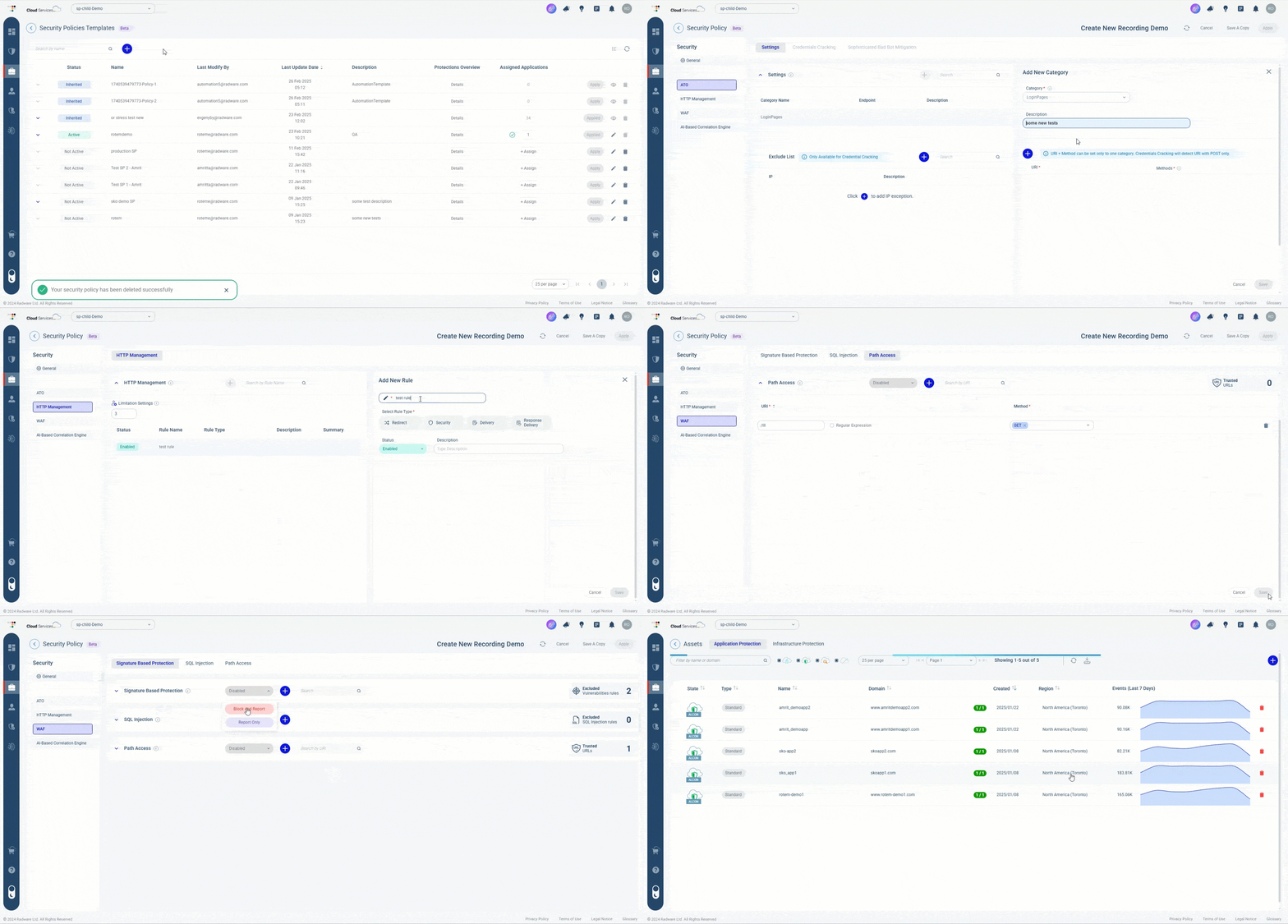
Visual 2: Customizing protections with Security Policy Templates
Eventually, power users start their deeper analytical work. They explore API Security, for example, as you can see below. They can combine data sources to surface behavioral patterns and operational KPIs. Visualizations like maps, graphs, and charts help them shift their mindset from “what happened?” to “what does this mean?”. They are no longer learning the system - they are learning from it.
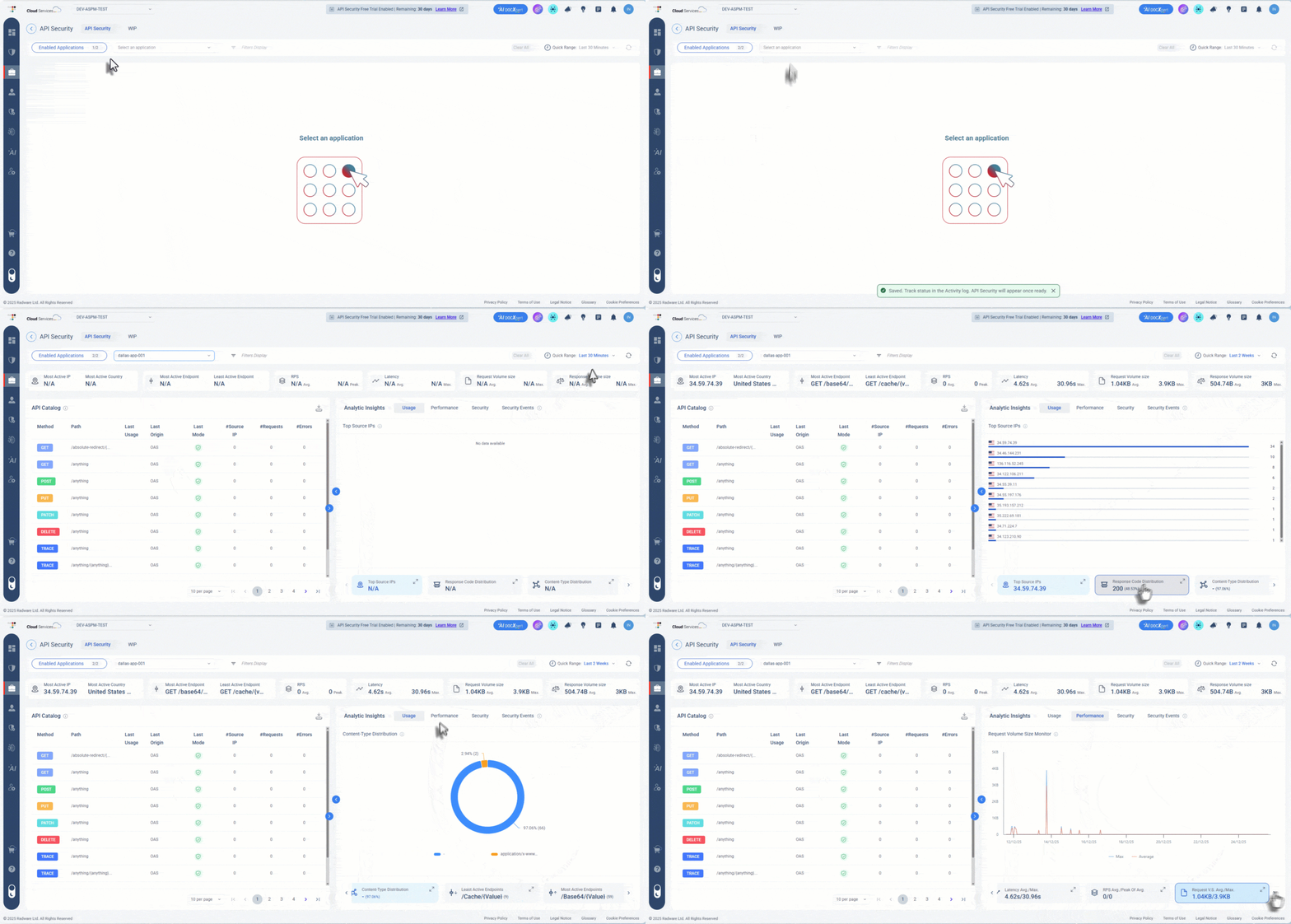
Visual 3: API Security – a powerful tool for power users
Here’s the key point: it doesn’t matter if it’s the same person evolving over time, or different team members with different responsibilities.
This progression of orientation → understanding → capability is not accidental. It’s what happens when a platform is designed for a journey, not a task. And it prepares our users for what comes next. Good security UX doesn’t overwhelm beginners or hold back experts; it adapts to them. That’s how our platform earns trust and long-term engagement.
From Learning to Response: The Alert Evaluation Journey
All the learning and policy-building eventually prepare users for the moment that matters most - handling an active threat. Alert handling used to be treated as a single action. The user sees the alert, closes it, and... That’s it, basically. But real alert evaluation is a multi-step journey. The user needs to understand what triggered the alert → Interpret legitimacy → Take action (block, allow, investigate) → Document → Confirm resolution.
When the alert arrives, our user is no longer a beginner. They know their policies. They know their baselines. They know what “normal” looks like. But incidents still demand fast, confident decisions, and this is where AI SOCXpert (visual 4) becomes part of the journey.
It brings the full story into one unified view and highlights relevant data automatically. Users can ask natural-language questions to clarify complex situations and quickly understand what changed, where the issue originated, and why it matters. Most importantly, it automates remediation. It analyzes the situation in real time, generates recommended mitigation steps, and allows analysts to deploy them with a single click.
The system continues learning from analyst decisions and attack outcomes, strengthening recommendations over time.
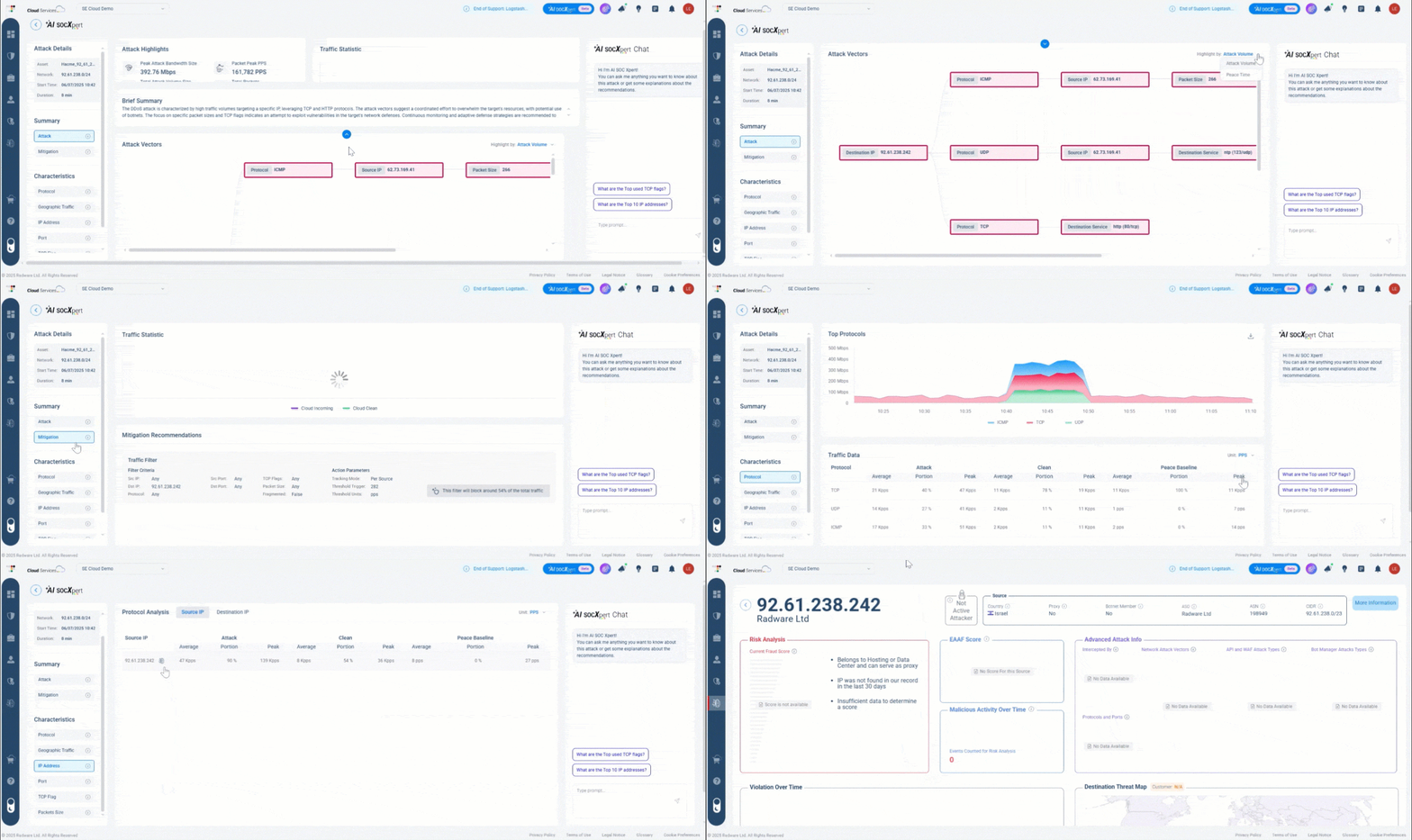
Visual 4: AI SOCXpert - brings the full story into one unified view
And this is the real power of journey-based design: users who steadily build understanding in earlier stages become calmer, more effective responders during the moments that matter most. They know the system. They understand the signals.
Closing the Loop
Security isn’t a single task. It’s an ongoing journey of learning, interpreting, and responding with purpose. The best platforms don’t focus only on isolated actions; they support the entire arc of the user experience.
At Radware, that means seeing users where they are, supporting their growth, and giving them the clarity they need in the moments that matter. Security becomes less about surviving each alert and more about developing capability over time.
Learn more through our Threat Analysis Report.